Guidance
HM Land Registry portal: Generate a business unit report
How Business e-services customers (Responsible Person role) can generate their Business Unit Report.
Applies to England and Wales
Opt-in
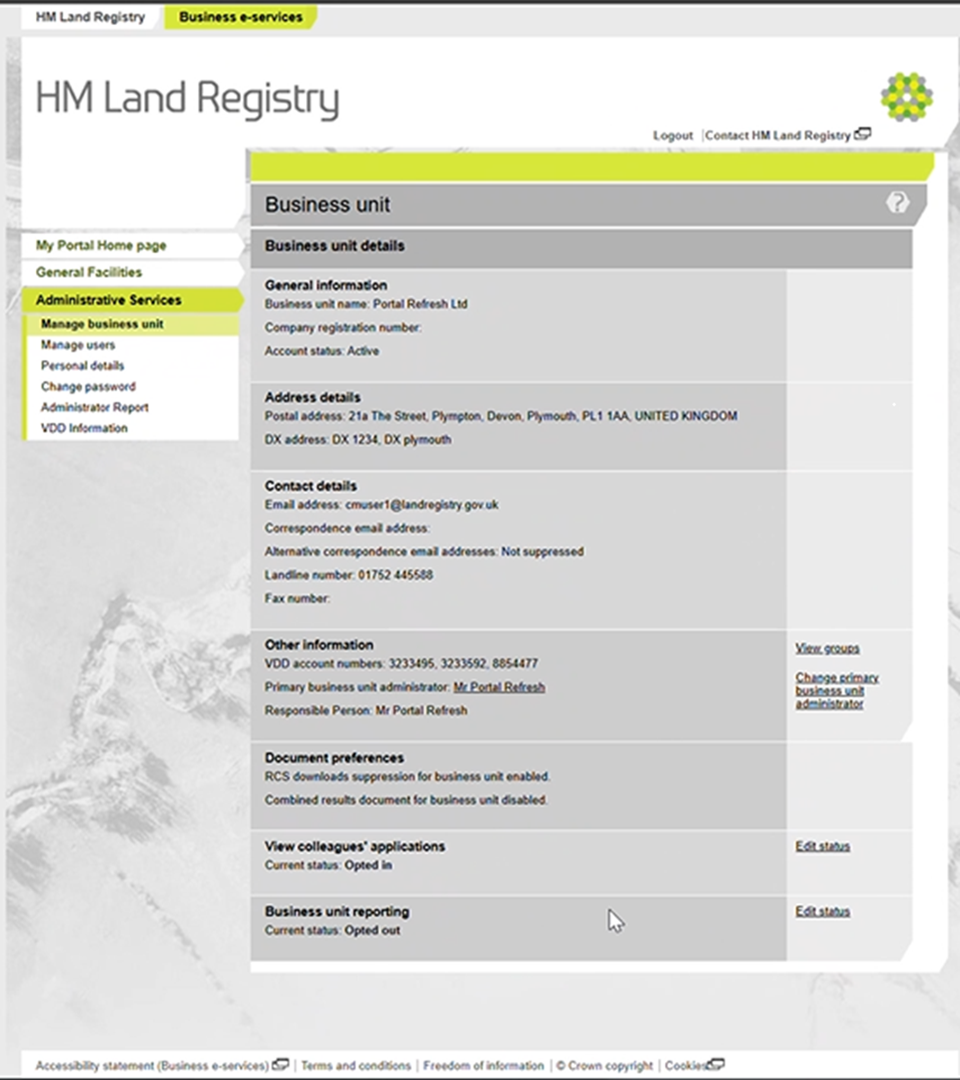
- Select ‘Administrative services’.
- Select ‘Manage business unit’.
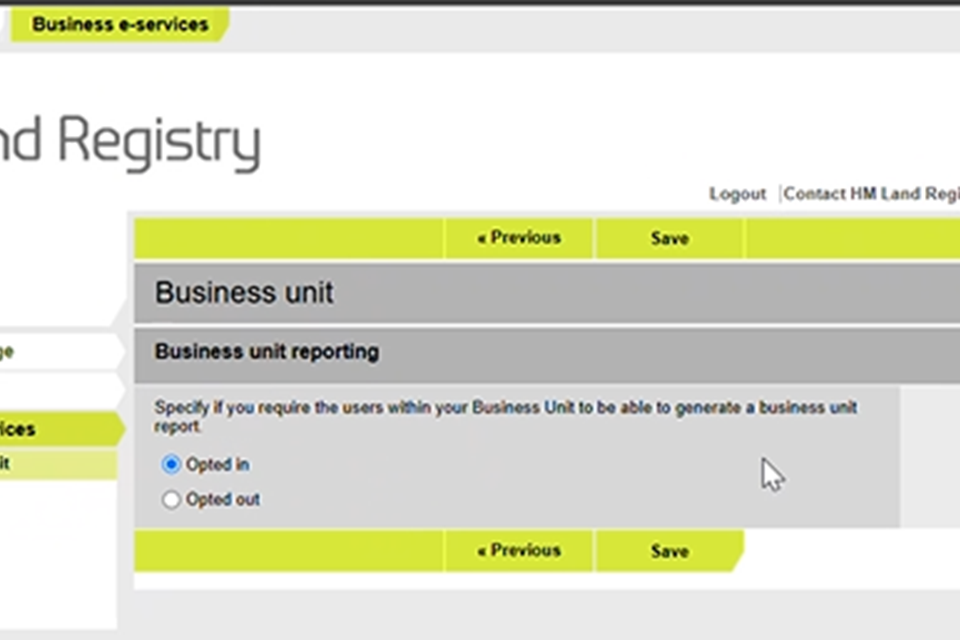
- Scroll down to ‘Business unit reporting’ and select ‘Edit status’.
- Update status under business unit reporting.
Generate report
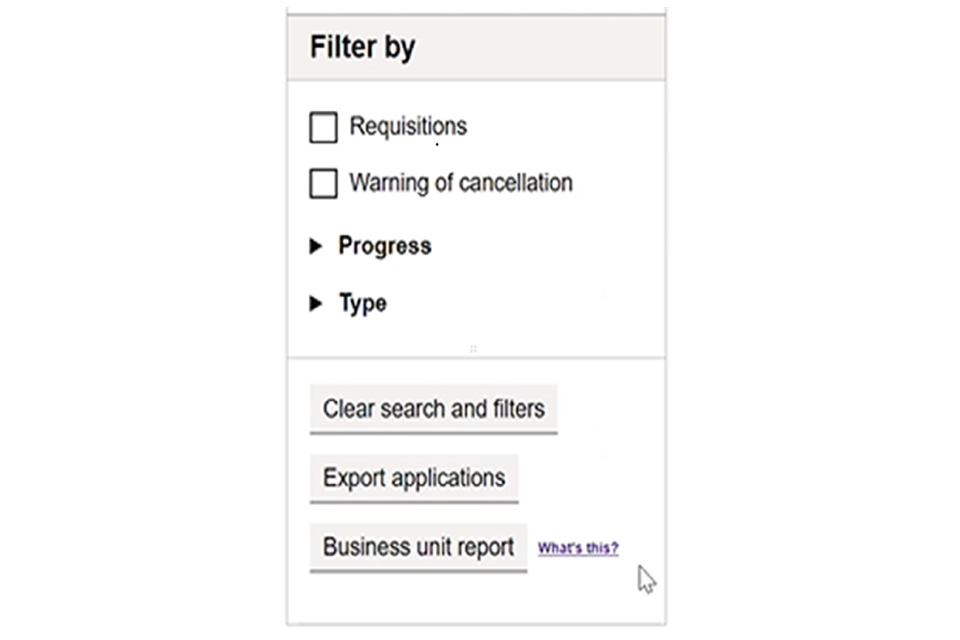
- Click on the ‘Business unit report’ button on the view applications screen.
- Your browser will prompt you to view, download or save the generated csv file.
Logout
When you have completed your tasks, exit the system securely by selecting ‘Logout’ at the top of the screen.
Updates to this page
Published 15 June 2026