Using the 'UK ETA' app
Information on using the app to apply for an electronic travel authorisation (ETA) to come to the UK.
Before you apply for an ETA using the ‘UK ETA’ app, you need:
- the passport you will travel with – not a photocopy or digital passport
- an email address
- a credit card, debit card, Apple Pay or Google Pay
This app is only available in English.
Check if you can use the app on your phone
iPhone users
The ‘UK ETA’ app is available for iPhone 7 and newer models. You will need:
- an iPhone 7, 7 Plus or newer
- iOS 16 or later – to find the software version installed, go to Settings > General, then About
- at least 179MB of storage space to install the app
- to be connected to 3G, 4G, 5G or WiFi
Download the app from the App Store.
Android users
You will need:
- Android 12 or later – you can find this in your settings
- at least 165MB of storage space to install the app
- to be connected to 3G, 4G, 5G or WiFi
- NFC (Near-Field Communication) so the app can scan your passport – you can find this in your settings. If you can use your phone to pay for things using contactless, this means it has NFC and you can use the app
Download the app from the Google Play Store.
Whichever phone you use, the app will need access to the camera. If the app does not request access, enable it in your settings.
ApplyingCheck forif someoneyou else
You can use the app to apply for an ETA for someone else,else
If ifyou they are with the person you atwant theto timeapply for, you apply.can Thisuse isthe becauseapp. youYou will need to take a photo of them and scan their face.
To apply for someone who is not with you, apply online.
You can only apply and pay for one application at a time.
Take a photo of yourthe passport
You must take a photo of the same passport you will use to travel to the UK. It must be the original passport, not a photocopy or digital passport.
Take a picturephoto of the photo page of your passport using your phone’s camera. The full page must be inside. Make sure your phone camera is focused on the text on the page.
The app will prompt you to adjust your phone to make sure you capture your passport correctly. These prompts will appear in a text box at the top of your screen.
Make sure youthe includephoto:
- includes the
entirewhole photo pageinof yourpicture.passport - is not blurry
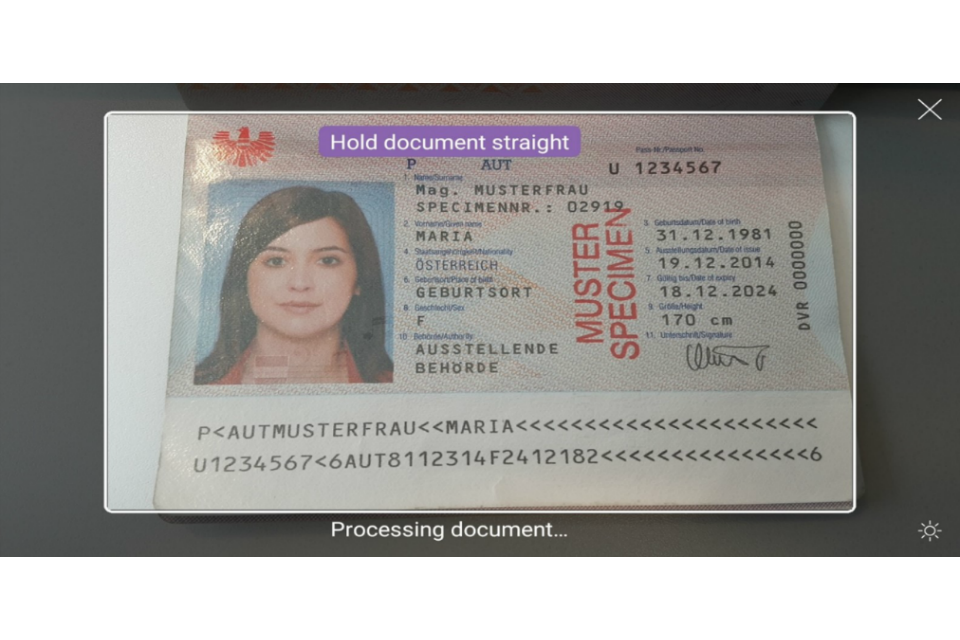
Try taking the photo of your passport at arm’s length if you have problems.
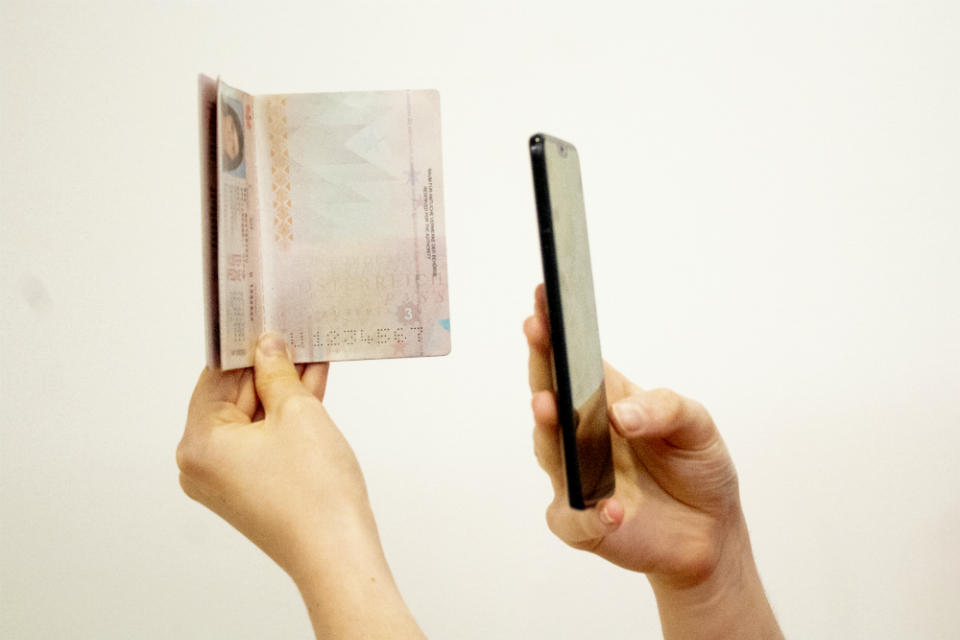

Scan yourthe passport
If your passport has this symbol on the cover, it can be scanned by the app.


Remove any cases or covers from your passport and phone.
Place the phone on top of your passport. Aim the top of your phone with the middle of your passport.
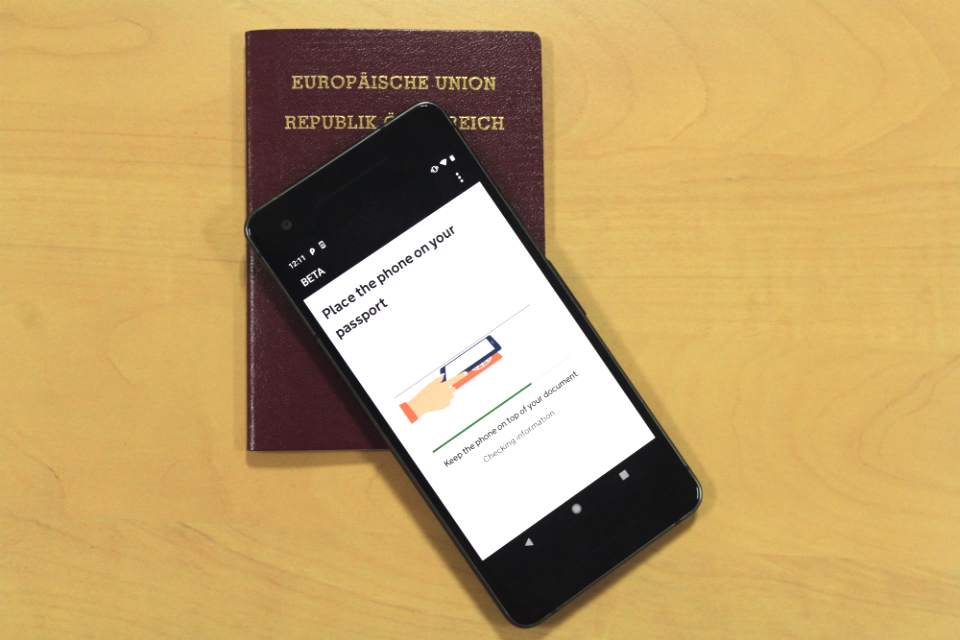
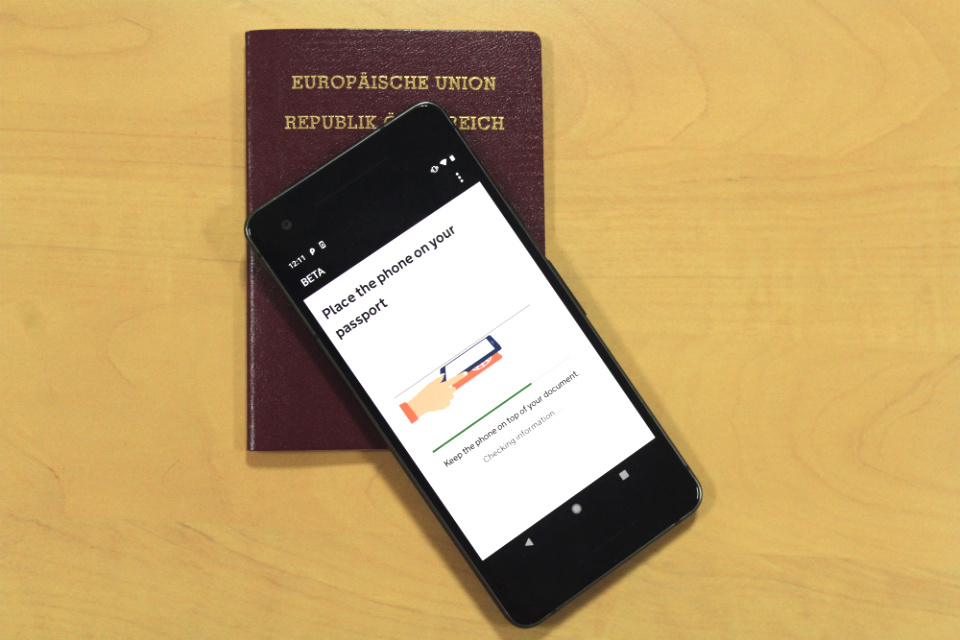
If the volume on your phone is turned up, you will hear a beep when your passport has been recognised.
If the app does not recognise your passport, move your phone around the passport.
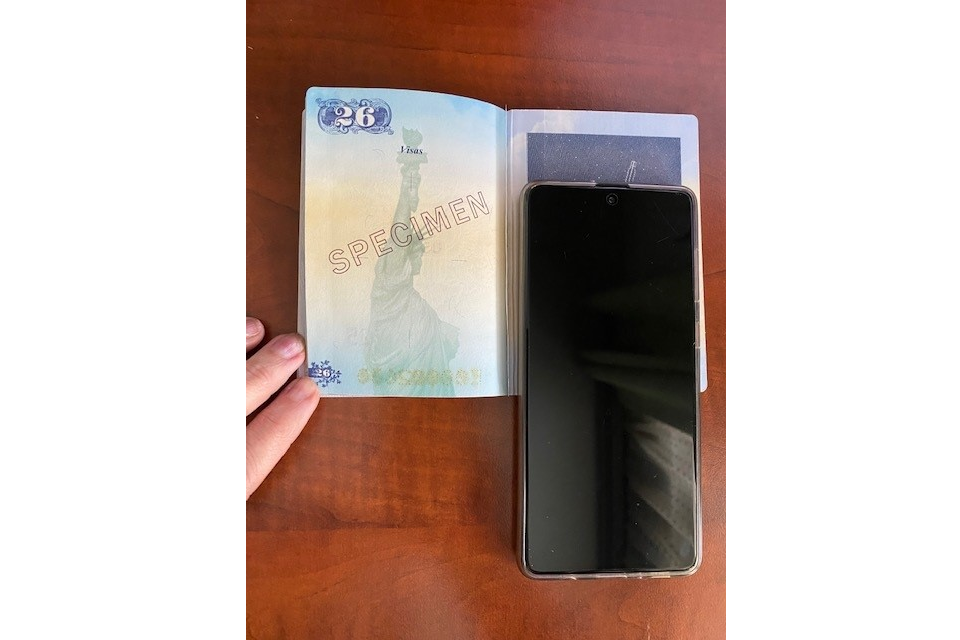
United States passports
If scanning the front of the passport does not work, place the phone on the inside of the back cover.

If youryou passport does not have the symbol, or the app cannot readscan ityour passport
The app will readtake your passport details from the photo of your passport.
Check these details carefully. If they do not match what it says on your passport, your application will be delayed or rejected.
ScanTake youra face scan
HoldThe yourapp phone’swill camerause inyour frontcamera ofto scan your faceface. untilThis theis scanningto isconfirm complete.you are a real person.
If you applyare applying for someone else,aged 10 or older, you need to scan their face.
If
You youwill arenot be asked to scan the face of a child aged 9 or younger,younger.
Hold youyour willphone’s notcamera bein askedfront toof scan your face.face until the scanning is complete.
Take a face photo
You need to take a photo of yourselfyour face using the app. If you are applying for someone else, such as a child, take a photo of their face.
You must:
- be in even lighting, against a plain, light-coloured background
- keep your head straight and look directly at the camera
- have a neutral expression and make sure your eyes are open and visible – remove your glasses if there is any glare
- include your head and shoulders (you can extend your arms or ask someone to take the photo for you)
You must not:
- wear a head covering (unless it is for religious or medical reasons)
- have any shadows, objects or people behind you
The app will tell you if your photo does not meet the requirements. You can still submit it if you need to – for example, because of religious or medical reasons.
You can retake the photo before submitting it.
Complete yourthe application
You need to answer questions about your:
- address
- job
criminalhistory- other nationalities, if you have any
You need to answer questions about any criminal convictions. Describe these in as much detail as you can, including:
- the type of offence (for example, theft, assault or fraud)
- the date of conviction
- the sentence you received (for example, a fine, community service or prison sentence)
If you are under 18, you need to give contact details for someone who has parental responsibility for you.
Pay for the application
You need to pay in the app.
You It will getshow ayou confirmationthe emailprice toin saythe youlocal submittedcurrency for your application.country. You can change which currency you pay in.
When
You can use:
- Apple Pay
- Google Pay
- American Express
- JCB
- Mastercard
- Visa
Your bank may need you willto:
- enter
geta security code - open your
ETAbank app to confirm it is you making the payment
After you apply
WeYou will sendget you an email whento weconfirm makeyou asubmitted decision on your ETA.application.
You will usually get aanother decisionemail withinwith 3a workingdecision days,on butyour youapplication. mayThis getcan atake quicker3 decision.working days.
Occasionally,These itemails maywill takeinclude longeryour than16-digit 3ETA workingreference days.number.
You can delete the app whenafter you finish applying.
Travelling with an ETA
Your ETA willis be linked to your passport digitally,digitally. andYou youdo will not need to show anything else whento show you enterhave thean UK.ETA.
If you need help using the app
If you have problems using the app, you can apply online instead.
You can also ask about ETA if you need help.
Updates to this page
Last updated
-
Updated the operating systems needed to install the app. iPhone users need iOS 16 or later, Android users need Android 12 or later.
Update history
2026-04-09 10:00
An ETA can now be used to travel to Jersey, Guernsey and the Isle of Man, as well as the UK.
2026-03-20 11:51
Added links to videos on how to scan a passport biometric chip and how to take a suitable digital photo.
2026-03-11 10:34
‘Scan the passport’ section: added a link to the video ‘top tips on how to scan a passport biometric chip’.
2026-02-20 10:08
‘Take a face photo’ section: added a link to the detailed guide to taking a face photo for an application.
2025-11-17 15:29
Added more details about paying for your application and what happens afterwards.
2025-02-07 11:07
Updated the operating systems needed to install the app. iPhone users need iOS 16 or later, Android users need Android 12 or later.
2025-01-29 15:22
Added a section on scanning United States passports. If scanning the front cover does not work, place your phone on the inside of the back cover.
2024-03-13 17:00
iPhone users now need at least iOS 15 to download the app.
2023-10-25 10:00
First published.